The average Australian household wastes between A$200 and A$400 per year on standby power and appliances left running in empty rooms. Smart home away mode eliminates most of that waste automatically — and as a bonus, it makes your home look occupied to deter opportunistic break-ins. Here is how to set it up properly.
What you will need
-
Smart plugs or smart switches — for lamps, TVs, and other non-essential loads
-
Smart IR controller — to manage heating and cooling through your existing air conditioner remote
-
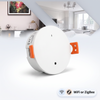
Motion or presence sensors (optional) — to confirm the house is empty before triggering away mode
-
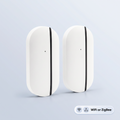
Door and window sensors (optional) — to receive alerts if someone opens a door while you are out
-
A smartphone with location services — for geofencing (built into Google Home, Apple Home, and Alexa)
Step 1: Choose your trigger — time-based or geofenced
Away mode can be triggered two ways. Time-based means it activates at a fixed time each day (e.g. 8:30am on weekdays), which is simple and reliable but inflexible. Geofencing means it activates when your phone leaves a defined radius around your home (typically 200–500 metres), which is more accurate but requires your phone's location to be enabled.
For most households, geofencing is the better option. All three major ecosystems support it natively. In Google Home: Automations → Add → Someone leaves home. In Apple Home: Automations → When I Leave. In Alexa: Routines → + → Location → Leaves.
Multi-person households: Set your away mode to trigger only when the last person leaves. Google Home and Apple Home support this natively (“When everyone leaves”). In Alexa, you can achieve this with a combination of location triggers and virtual devices.
Step 2: Build your Away scene
Your Away scene should execute all of the following in sequence:
-
Turn off all lights — any smart globes or smart switches go to OFF
-
Cut standby power — smart plugs connected to TVs, gaming consoles, and desktop computers switch off (these draw 5–25W each continuously in standby)
-
Set climate to economy mode — 28°C in summer, 16°C in winter; your home will not fully heat or cool but will not freeze or bake either
-
Lock smart locks (if installed) — ensure the front and back doors are locked
-
Arm security sensors — door/window contact sensors switch to alert mode
Step 3: Set up simulated occupancy
A dark, silent home is an obvious target. Use your smart lights to simulate occupancy during the hours you are most likely to be away in the evening. Set two or three lights in different rooms to turn on and off at randomised intervals between 6pm and 10pm. Google Home supports randomised lighting in automations. In Apple Home and Alexa, create multiple automations with slightly different times to simulate the same effect.
Step 4: Set up your return routine
When geofencing detects your phone re-entering the home radius (or at a fixed arrival time), trigger a Welcome Home scene: lights on at a comfortable level, climate back to your preferred temperature, TV standby power restored. No fumbling with switches after a long day.
Energy savings: what to expect
Australian electricity averages around 30–35 cents per kWh depending on your state and retailer. A TV left in standby draws approximately 15W; over 10 hours a day that is 0.15 kWh, or about A$16 per year per TV. A gaming console in standby can draw up to 100W on older models. Multiply across all devices and the savings from cutting standby power alone typically pay for a smart plug in under 12 months.
Frequently Asked Questions
Is geofencing reliable for away mode?
Yes, with a radius of at least 200 metres. Google Home and Apple Home are most reliable. In shared households, set the trigger to fire only when everyone has left.
Will it turn off my fridge?
Never connect a fridge, freezer, or medical device to a smart plug used in away mode automations. Only use smart plugs on non-essential loads like TVs and lamps.
How much can I save?
Australian households typically save A$150–A$350 per year by cutting standby power and optimising climate control when the house is empty.
Can away mode arm my alarm system?
Some smart alarm systems integrate with Google Home and Alexa. Hardwired systems generally require a separate integration module.
What if my phone dies while I'm out?
Add a backup time-based return trigger (e.g. 6pm) so your home returns to normal even if geofencing fails due to a flat battery.
Start building your away mode today
Browse PureNode's smart sensors, security sensors, and climate controllers. Every product page tells you upfront whether the device needs a hub, and which ecosystems it works with.