The short version
If you want one sensor to start with, make it a water leak sensor. It costs less than a takeaway dinner, and it is the only sensor on this page that can save you a five-figure insurance claim. Everything else is convenience; that one is protection.
If you want the sensor that most changes how your home feels, it is a presence sensor — the kind that knows you are sitting still, not just that you walked past.
First decide Wi-Fi or ZigBee, not brand
This is the decision that trips up most Australian buyers, and it has nothing to do with which logo is on the box.
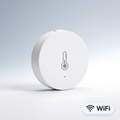
Wi-Fi sensors connect straight to your router. No hub, no extra hardware — unbox, scan a QR code in the Tuya SmartLife app, done. The trade-off is battery life and router load. Every Wi-Fi sensor holds an active connection, and a typical Australian home router starts struggling somewhere north of thirty devices.
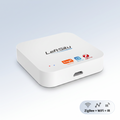
ZigBee sensors need a hub first. That is a real extra cost and a real extra step. What you get back is a mesh network that does not touch your Wi-Fi at all, and batteries measured in years rather than months. Every ZigBee device you add makes the mesh stronger.
The honest rule: buying one or two sensors, go Wi-Fi. Planning five or more, buy the hub first and go ZigBee. Retrofitting a hub later means re-pairing everything.
Motion sensors: PIR versus mmWave
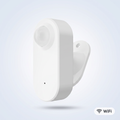
A PIR sensor detects heat moving across its field of view. It is cheap, reliable, and has one well-known flaw: sit still on the couch for four minutes and it decides the room is empty, then turns your lights off. Every Australian who has installed motion lighting in a lounge room has met this problem.
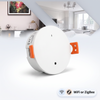
A mmWave presence sensor uses radar instead. It detects the rise and fall of your chest from across the room, so it knows the difference between an empty room and a still one. It costs more and it needs mains power rather than a battery — but for a lounge room, home office or bedroom, it is the difference between automation that works and automation you switch off in frustration.
Use PIR in hallways, laundries, garages and walk-in robes, where people move through. Use mmWave anywhere people sit.
Door and window sensors
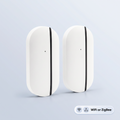
Two magnets that tell your phone the moment something opens. The cheapest genuinely useful sensor you can buy, and the natural first step into home security without a subscription.
Beyond the obvious alarm use, the automations Australians actually keep are the quiet ones: a laundry light that comes on when the door opens, an alert when the back gate moves during school hours, or a notification if the garage side door opens while you are at work.
A few models add a light sensor in the same housing, so one device reports both the door state and how bright the room is — useful if you want a light to trigger only after dark.
Water leak sensors: the cheapest insurance you will ever buy
Australian homes leak in predictable places — the dishwasher, the washing machine, under the kitchen sink, and the hot water system in the garage. A leak sensor is a puck you drop on the floor. When it gets wet, your phone goes off.
Put one under each of those four, and one behind the toilet if you have had trouble there before. The whole set costs less than the excess on a water damage claim.
If nobody is home to read the notification, choose a version with a built-in siren so it makes noise locally as well.
Light and temperature sensors
These are the sensors that make other automations smarter rather than doing anything visible themselves.
A lux sensor measures actual brightness, so your lights can trigger when the room is genuinely dark instead of at a fixed clock time. Given how much daylight length shifts between a Brisbane summer and a Melbourne winter, this is more useful in Australia than it sounds.
A temperature and humidity sensor is the one to reach for if you have a nursery, a wine collection, a greenhouse, or a garage that turns into an oven in February. Pair it with a smart aircon controller and you can have the cooling start before the room becomes unbearable.
One sensor type that will not do what you expect
You will see very cheap 433MHz motion sensors listed alongside smart sensors. They are not the same thing. A 433MHz sensor talks to a dedicated alarm panel or RF receiver — it does not appear in the Tuya SmartLife app, and it will not talk to Alexa or Google Home on its own.
They are genuinely useful if you already own a 433MHz alarm system and want to extend it cheaply. If you do not, buy a Wi-Fi or ZigBee sensor instead. We stock the 433MHz version because some customers need it, and we would rather say plainly who it is not for.
What to buy first
-
One water leak sensor under the dishwasher or washing machine. Highest value per dollar in the entire catalogue.
-
A door sensor on whichever door you most want to know about.
-
A motion sensor — PIR for a hallway, mmWave if it is a room where people sit.
-
A hub, once you have decided you want more than a handful. Then everything after that is ZigBee.
Browse the full range in Smart Sensors, or start with Get Started Under A$100 if you want a first setup that does something useful without committing to a system.
Frequently asked questions
Do I need a hub for smart sensors?
Only for ZigBee ones. Wi-Fi sensors connect directly to your router and work out of the box with the Tuya SmartLife app. Every ZigBee sensor needs a hub before it will do anything.
How long do the batteries last?
It depends on the protocol far more than the brand. ZigBee sensors typically run twelve to eighteen months on a coin cell because they sleep between reports. Wi-Fi sensors hold a live connection and are usually measured in months. Mains-powered sensors, including most mmWave units, do not use batteries at all.
Will these work with Alexa and Google Home?
Yes, apart from the 433MHz models. Everything else pairs to the Tuya SmartLife app, and you link that app once to Alexa or Google Home — after which sensors can trigger routines on either platform.
Can I use these in a rental?
Yes. Every sensor in this guide is battery or plug powered and attaches with adhesive strips or simply sits on a surface. Nothing here needs wiring or an electrician, and nothing leaves a mark you cannot remove.
How many sensors is too many for my Wi-Fi?
There is no exact number, but if your home already has more than about twenty connected devices, move to ZigBee before adding more. That is the point where people start reporting devices dropping offline — and the fix is almost always the network, not the sensor.